Cartographer
Cartographer writes a plain-English summary of each component it finds in the Dataverse solutions you choose, and lets you search by meaning. Free, in full.
Your environment is a black box
Your Dataverse environment has hundreds of components — tables, plugins, cloud flows, business rules, forms, web resources — built by different people at different times. Nobody documented any of it.
That plugin registered on Account update? No one remembers what it does. The cloud flow that fires on Case create? It was built by a contractor who left two years ago. New team members spend weeks just figuring out what exists, let alone how it works.
Flows break with no context. Changes have unintended side effects because nobody can see the full picture. Every environment is a maze of tribal knowledge that walks out the door when someone leaves.
Cartographer writes the documentation nobody wrote.
Four steps to clarity
Install from AppSource
AppSource installs VerseBlocks Core and Cartographer together, in the right order. A fresh install in an empty environment took about five minutes.
Add solutions to crawl
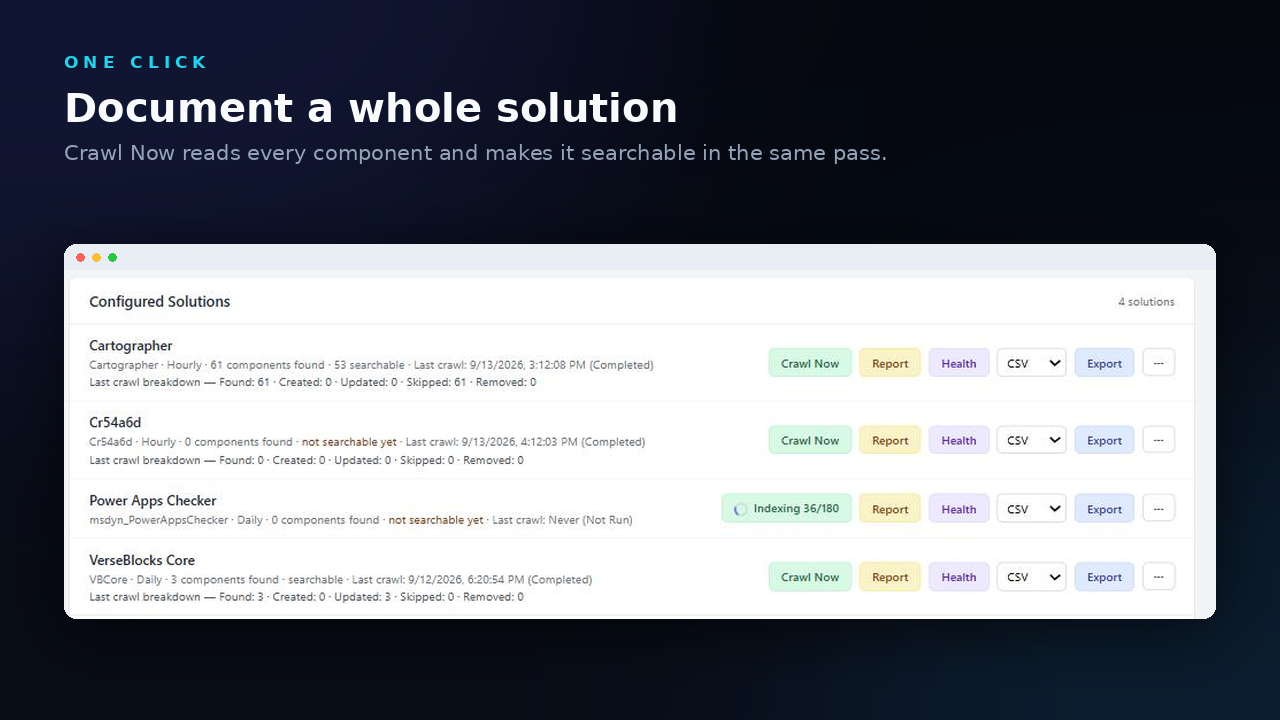
Pick which solutions you want to document. Cartographer only looks at what you tell it to.
Documentation writes itself
Every component is described in plain English as it is crawled. No AI service, no API key. The names, metadata and documentation of your components never leave your environment.
Explore, monitor, maintain
Search by meaning, browse the dashboard and automation map, and generate user guides. Crawl a solution again when it changes and Cartographer re-processes only what changed.
Everything you need to understand your environment
Component Dashboard
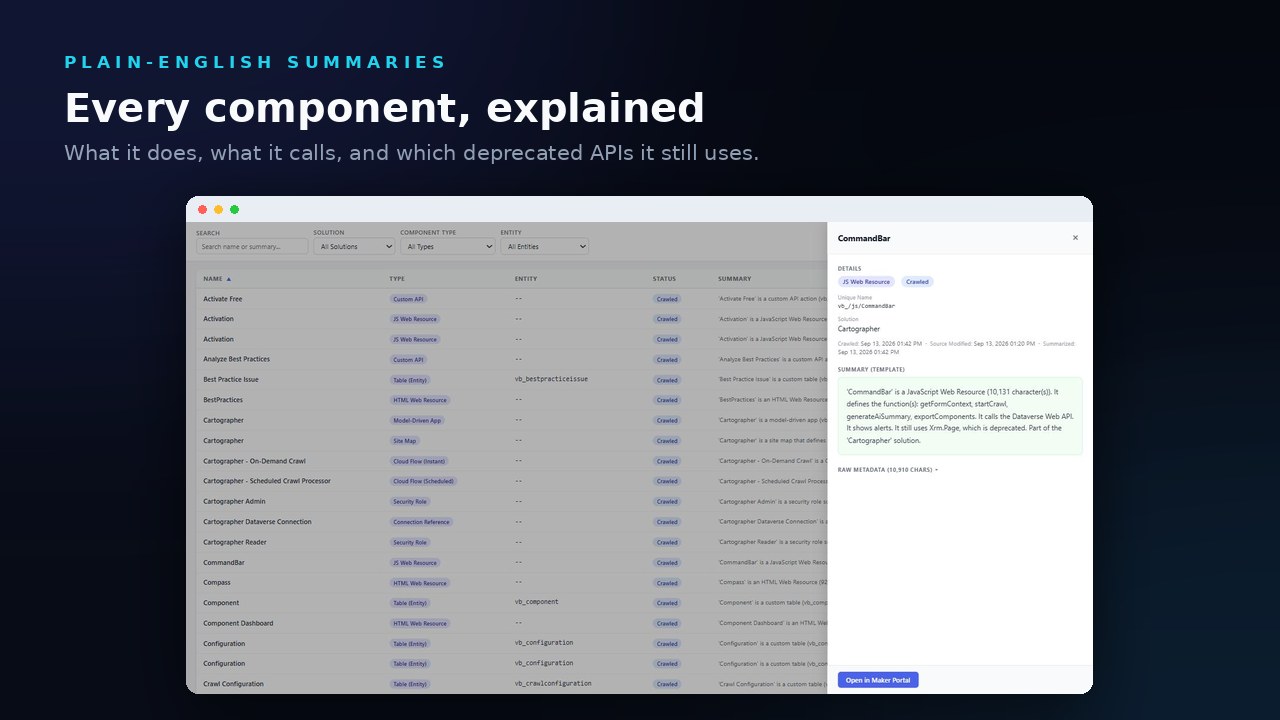
Filter every crawled component by solution and type, and search names and summaries. Click a component to see its summary, its raw metadata and the dates it was crawled and last modified.
Plain-English Summaries
Every plugin step, cloud flow, form, web resource, custom API and plugin assembly gets a readable description written from its own metadata during the crawl. A JavaScript summary lists the functions a file defines and flags deprecated calls such as Xrm.Page. Templates write the text, so there is no AI service and no API key.
Semantic Search
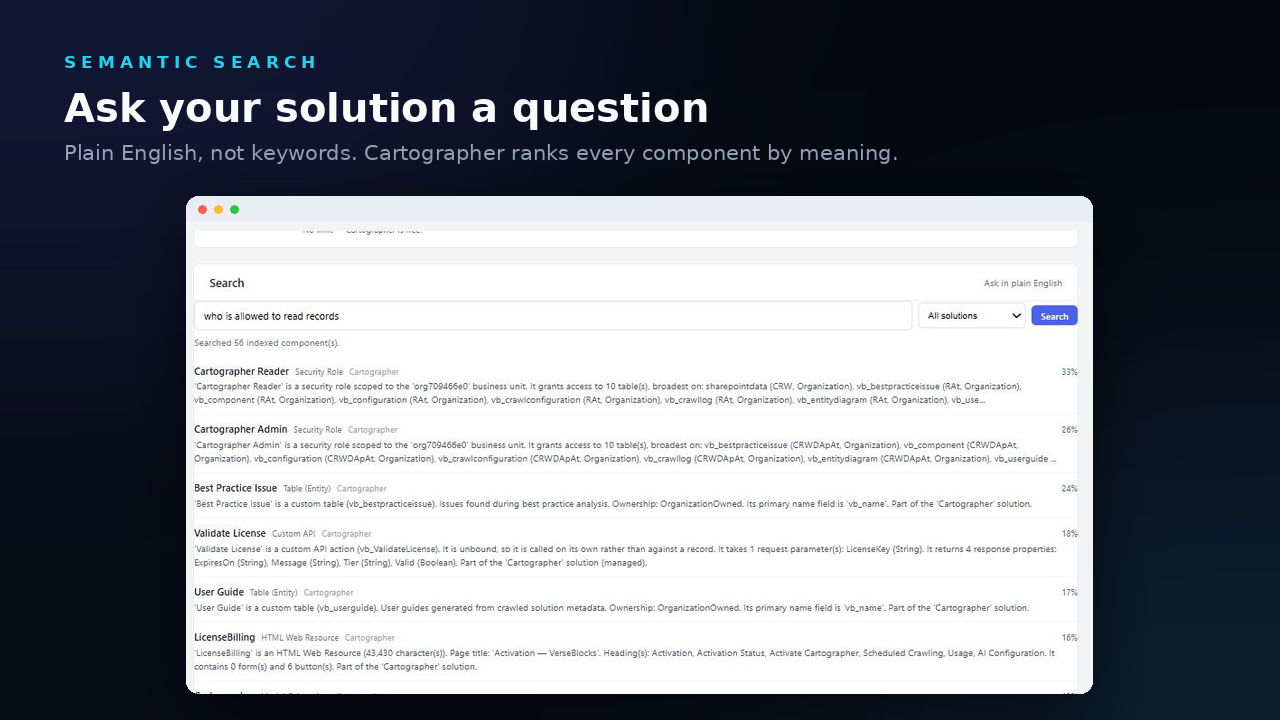
Search ranks components by meaning, so a question like 'who is allowed to read records' finds the security roles. A small open-source embedding model bundled in the solution does the ranking inside your environment, with no network calls and no generated text. It searches the name and summary of each component.
Automation Map
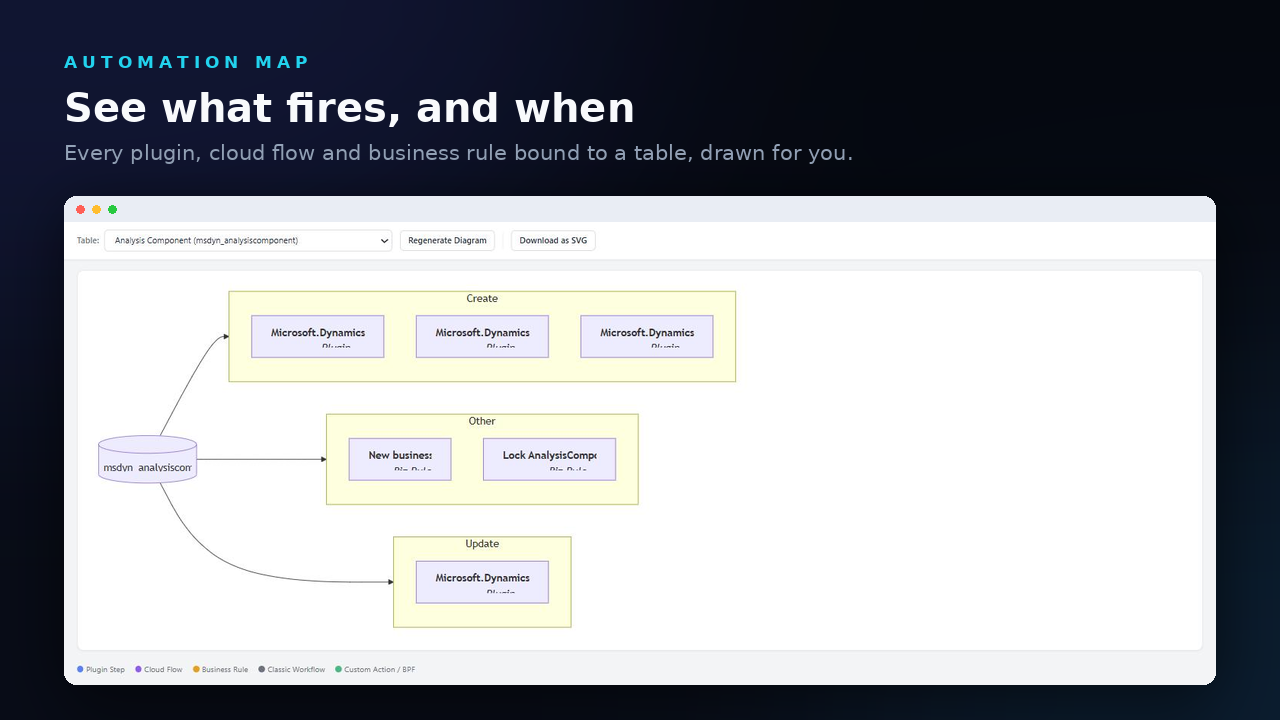
Pick a crawled table and see a diagram of the plugin steps, business rules, classic workflows and cloud flows registered on it, color-coded by type. Plugin steps are grouped by message, such as Create, Update and Delete. Download the diagram as SVG.
Compass Operations Dashboard
Monitor and manage your environment. Toggle flows on/off, manage plugin steps, edit environment variables, check business rules — all from one screen.
Best Practice Analysis
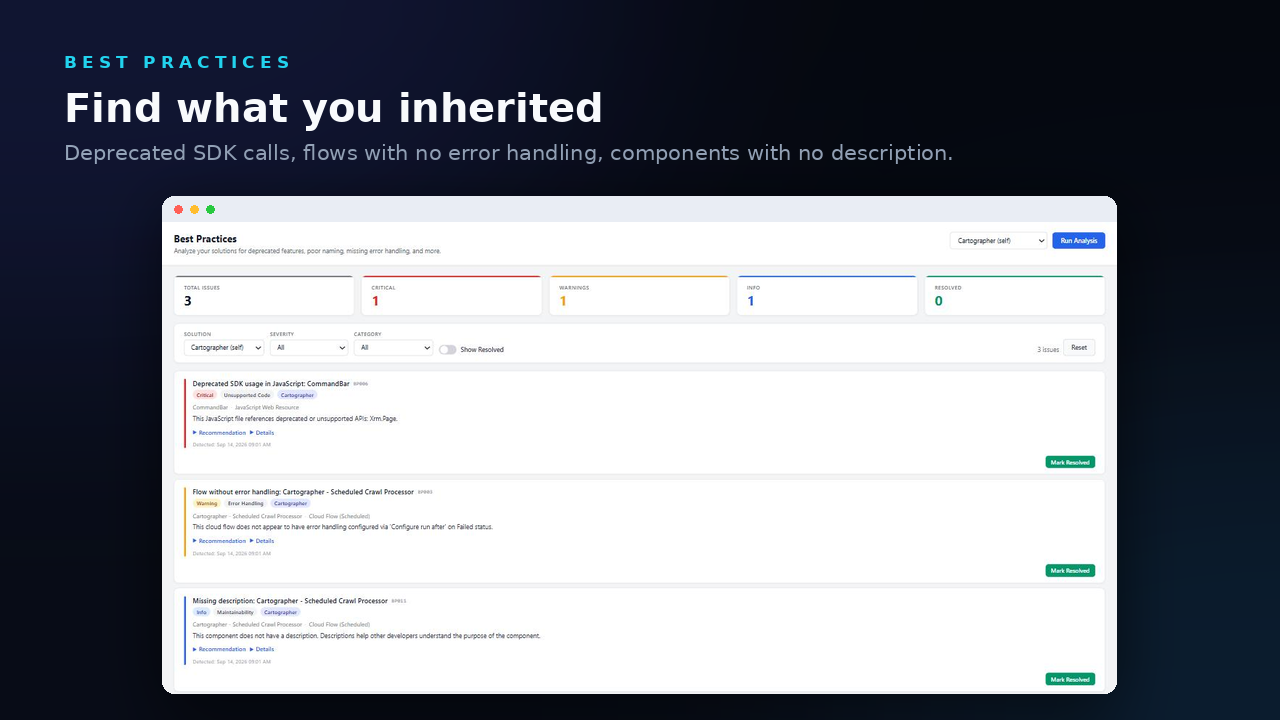
12 built-in rules check for deprecated features, hardcoded GUIDs in JavaScript, missing error handling, poor naming, and more. Get a prioritized list of issues with recommendations.
User Guide Generation
A user guide for each model-driven app, generated on demand from the crawl. It covers the app's navigation, then the tables, automations, custom APIs, integrations, plugin assemblies and security roles in its solution, with a glossary. Copy it out as Markdown.
Reports and Exports
A report for any crawled solution, with a breakdown by component type, every summary, and any best practice issues. Export the underlying data as CSV, JSON, Excel or Word.
See what Cartographer shows you
Built for real-world environments
Perfect for...
Power Platform Admins
You inherit an environment with hundreds of customizations and no documentation. Add its solutions, run a crawl and read a plain-English summary of each component. Compass shows its cloud flows, plugin steps, business rules and environment variables without a crawl.
Developers Onboarding
On a project nobody documented, read a plain-English summary of each plugin step, cloud flow and JavaScript web resource, and search the solution by meaning, instead of reverse-engineering each piece by hand.
Consultants Auditing
Install it in the client's environment, add the solutions you are auditing, and hand over the solution report, a Word or Excel export and the Best Practices findings on day one.
Enterprise D365 Teams
With several solutions in one Dynamics 365 environment, add each one, crawl it again as it changes, and search all of them at once. Compass lists the cloud flows, plugin steps, business rules and environment variables in the environment, and lets you change them.
Free, with every feature and no component cap
Every feature is included, with no tiers, no trial and no credit card. Activation asks for your name, company and email.
Cartographer sends VerseBlocks your activation details and usage reports. A usage report records which feature ran and, for a crawl, the display name of the solution. There is no switch to turn the reports off. The names, metadata and documentation of your components never leave your environment, and the privacy policy lists exactly what is sent.
Document your Dataverse solutions for free
Install Cartographer from AppSource today.